
Snapchat Video Downloader: Free HD Downloads (2026)
Snapchat never gave you a download button for the videos you find there. You spot a Spotlight clip worth keeping — a recipe, a trick shot, something your group chat would love — and your only options inside the app are… none. No save-to-gallery, no export, nothing. That’s the gap every snapchat video downloader exists to fill, and it’s also where most of them disappoint you: fake progress bars, watermarked output, daily caps, or a login screen that wants your Snapchat password (never give it).
So I tested one properly. I took the free web-based snapchat video downloader at snaptodown.com — the one with the server-side extractor — and ran real public Snapchat links through it on 2026-10-23. Timed each extraction. Verified the returned files byte by byte: real MP4, real size, real Snapchat CDN. I also recorded the entire session on screen, so you can watch the tool work instead of taking my word for it. Here’s the honest breakdown: what it does, what the numbers look like, and the limits no downloader on the internet can cross.
What a Snapchat Video Downloader Actually Does
The concept is simpler than the sketchy corners of this niche make it look. A snapchat video downloader is a web page with a link box. You copy the address of a public Snapchat video — a Spotlight clip, a public story — paste it in, and the tool asks Snapchat’s own servers for the underlying media file. It then hands that file to you as a normal download. No app to install, no account to create, and — this is the safety test I apply to every tool in this category — no Snapchat login, ever. Any downloader that asks for your Snapchat credentials has failed on arrival.
What comes back is the original file Snapchat’s app would play: the same MP4 on Snapchat’s own content delivery network, same quality, same audio. There’s no screen recording involved and no re-encoding step, which is why the output carries no added watermark. I verified this part directly, and I’ll show you the numbers below rather than asking you to trust a feature list.
How to Use a Snapchat Video Downloader in 3 Steps
The flow is identical whether you’re after a Spotlight clip or a public story:
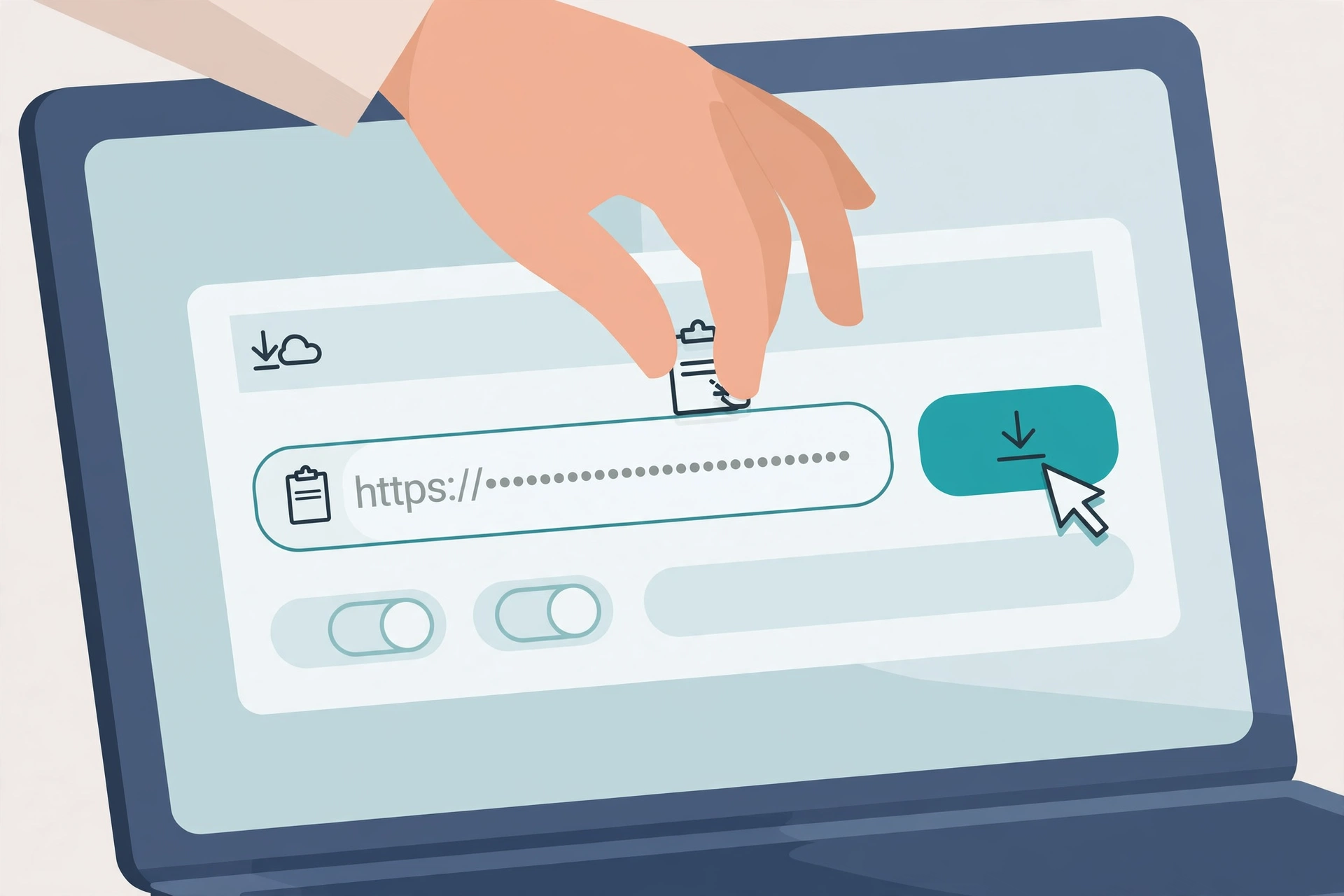
- Copy the video link. In Snapchat, open the public video, tap the share arrow, and choose Copy Link. You’ll get something like
snapchat.com/@username/spotlight/…. - Paste it into the tool. Open snaptodown.com in any browser, drop the link into the box, and hit the download button.
- Save the file. The extractor resolves the link in a few seconds and shows a result card with the video’s title, thumbnail, and a download button. Tap it — the MP4 lands on your device.
This is a genuine screen recording of that exact flow — a real public Spotlight link, the real tool, the real result card appearing. Watch it once and the whole process is demystified:
Tested Live on 2026-10-23: Real Numbers, Not Promises
Most “best snapchat video downloader” roundups are written by people who never touched a single tool. They recycle each other’s feature lists and call it a review. Here’s the opposite: two real public Spotlight links and one deliberately wrong link, run through the snaptodown extractor, with everything measured and written down.
| Test | What I pasted | Result | Time |
|---|---|---|---|
| Public Spotlight link (creator @robertlink19, posted Oct 22, 2026) | Full snapchat.com/@user/spotlight/… URL |
Resolved — title, thumbnail, and a direct MP4 on Snapchat’s CDN (cf-st.sc-cdn.net) |
4.46 s |
| Public Spotlight link (creator @mr_hussainn110, posted Oct 20, 2026) | Full snapchat.com/@user/spotlight/… URL |
Resolved — live like/comment/share counts in the title, MP4 on bolt-gcdn.sc-cdn.net |
2.06 s |
| Wrong-platform link | A TikTok URL, pasted on purpose | Honest error: “Please paste a valid public Snapchat link (Spotlight, Story or video page).” | 1.5 s |
Then I verified the files weren’t placeholders. A byte-range request against each returned video_url came back HTTP 206 Partial Content, video/mp4, with a valid ftyp box in the first bytes — real MP4 data, not an error page wearing a video costume. The servers reported full file sizes of 2,588,837 bytes (~2.47 MB) and 1,430,123 bytes (~1.36 MB). Both files sat on Snapchat’s own CDN hosts, which confirms the no-watermark claim for these tests: the tool serves the raw file Snapchat hosts, untouched, so there is no step where a watermark could even be added.
Two caveats, because single tests aren’t guarantees: those timings are one sample each from my network — call it “a few seconds,” not a speed promise. And I verified the first 100 KB of each file, not every frame. But the shape of the evidence is what matters: real resolution, real CDN, real file, and an honest error on the bad link instead of a fake result. That’s the trust triangle, and this tool passed all three.
Snapchat Video Downloader vs. Screen Recording
If a downloader didn’t exist, your fallback would be screen recording: play the clip, capture your screen, trim the ends. It works, but it’s the worst way to keep a video, and the comparison is worth spelling out because it shows what the original file is worth:
| Snapchat video downloader | Screen recording | |
|---|---|---|
| Quality | Original upload quality — the file Snapchat itself serves | Degraded: re-compressed, limited to your screen resolution |
| Watermark / UI | None — clean file | Often captures the app’s interface, captions, and timers |
| Audio | Original audio track | Recorded through speakers or mic — hiss, room noise, notifications |
| Time | A few seconds per link | Real-time: a 60-second clip costs you 60 seconds, plus trimming |
| Effort | Copy link, paste, save | Play, record, stop, trim, export, clean up the file |
Screen recording is fine for a one-off emergency. For anything you’d actually keep, the original file wins on every axis. That gap is also why I checked the file so carefully above — a “downloader” that secretly screen-records server-side would produce exactly the degraded output this one avoids.
Saving the File on iPhone, Android, and PC
The download flow is identical everywhere — copy, paste, save — but where the file lands afterward is the part that trips people up. Here’s what actually happens per device:
- iPhone (Safari): the MP4 downloads into the Files app, not Photos. Open Files → Downloads, long-press the video, tap Share → Save Video to move it into your camera roll. My full iPhone walkthrough covers this with the Files-app quirk in detail.
- Android (Chrome): the file lands in your Downloads folder and appears in your gallery app’s video section automatically. From there, move or share it like any other video.
- PC / Mac: the browser saves it to your Downloads folder. Right-click → Save link as if your browser asks where to put it. Plays in any media player; no conversion needed.

Honest Limits: What a Snapchat Video Downloader Can’t Do
This is the section most downloader roundups skip, because honesty converts worse than hype. But knowing the boundary saves you more time than any feature list:
| Content type | Downloadable? | Why |
|---|---|---|
| Public Spotlight clips | Yes | Public by design — tested and verified above; see also my Spotlight downloader guide |
| Public stories (while live) | Yes | Same extractor pipeline; my story downloader test resolved public story links the same way |
| Friends-only / private / custom stories | No | Blocked at Snapchat’s servers for anyone outside the audience — no tool can bypass this |
| 1-to-1 snaps | No | Never had a public address; they exist only inside the chat |
| Expired or deleted content | No | The file is gone from Snapchat’s servers — every downloader fails this one identically |
| Snapchat Memories | No | Private encrypted backup with no public link to resolve |
| Stories by username alone (no link) | Not here | SnapToDown works from a copied link. Some tools browse by username; if you only have a username, copy a link to one of their public posts first |
One more wrinkle worth knowing: since Snapchat’s June 2026 policy change, accounts registered as 13–15 can’t post publicly at all, and 16–17 accounts have capped public reach. If a video you expected to be downloadable returns nothing, the poster’s audience settings — not the tool — are almost always the reason.
How SnapToDown Compares to Other Downloaders
I read the current top 10 ranking pages for this keyword before writing this — most are thin, and a few are actively misleading. Here’s the honest landscape:
| Tool | Price / limits | Watermark | Evidence |
|---|---|---|---|
| SnapToDown | Free, no daily cap, no account | None — raw CDN file | Tested live with measured timings and byte verification (this page) |
| ScreenApp | MP4 download behind a paywall + account required | None (paid) | Honest about competitors’ unverifiable claims, but you can’t actually download free |
| Snapiai | Free — but capped at 5 videos/day | Claims removal | No published test data |
| Wifty.ai | Claims “unlimited, free forever” | Claims none | Zero evidence; stale 2025 references |
| VDFR | Free, no signup | Claims none | ~450 thin words, Snapchat is one tool among many |
| Wondershare listicles | Pushes paid desktop software | Varies | ~5,500 words but an affiliate pitch for their own converter |
The pattern: the pages that rank are either tools with hard limits, or content farms promoting someone else’s tool with fabricated ratings. Nobody else publishes measured test data — no extraction times, no CDN verification, no byte checks. If a page won’t show you a single real test, treat its claims as marketing copy, because that’s what they are.
When a Link Won’t Download: 3-Minute Troubleshooting
Three failure modes cover almost every “it’s not working” report:
- Wrong link type. Paste a TikTok or Instagram URL and you’ll get the plain-English error: “Please paste a valid public Snapchat link (Spotlight, Story or video page).” The tool validates first and tells you — no endless spinner. Double-check the link starts with
snapchat.com. - The content is gone or private. If a Snapchat link that should work returns nothing, the video was likely deleted, the story expired past 24 hours, or the poster switched their audience to friends-only. Re-open the link in your browser: if Snapchat itself 404s, no downloader on earth can fetch it.
- Shortened
t.snapchat.comlinks. Snapchat’s own share links redirect before landing on the real page. If one fails, open it in your browser first, let it resolve, then copy the fullsnapchat.com/…address from the address bar and paste that instead.
Is It Safe and Legal to Download Snapchat Videos?
Safety first: the tool never asks for your Snapchat login, never installs anything, and runs entirely in your browser. That’s the whole safety story — there’s no credential to steal and no software to hide malware in. Apply the same test to any competing downloader: login prompt equals walk away.
Legality is about what you download, not the tool itself. Videos you created, public content the creator clearly shared for everyone, clips with the creator’s permission — all fine. Downloading someone’s private or friends-only content through any workaround, or re-uploading another creator’s video as your own, crosses into copyright and privacy territory regardless of the tool involved. When in doubt, the rule is simple: if you couldn’t save it with the creator’s blessing, don’t.
One trademark note for the careful: Snapchat is a trademark of Snap Inc. This is an independent tool guide, not affiliated with or endorsed by Snapchat — the same disclaimer the honest players in this space all carry. (Snapchat’s own support pages at help.snapchat.com document how stories, Spotlight, and privacy settings work if you want the official side.)
FAQ
Does Snapchat notify someone when I download their public video?
No. The download happens in your browser from a public link — your Snapchat account isn’t involved at all, so there’s nothing for Snapchat to notify about. (This only covers public content fetched by link; it says nothing about screenshots inside the app, which are a different mechanism.)
Is this snapchat video downloader really free? What’s the catch?
Free, no account, no daily cap — I ran multiple extractions back to back during testing with no limit warning. The honest business model of tools like this is ads on the page, not your data.
Will the downloaded video have a watermark?
No. The tool returns Snapchat’s own hosted MP4 file untouched — my byte-level checks confirmed the file comes straight from Snapchat’s CDN (cf-st.sc-cdn.net / bolt-gcdn.sc-cdn.net), and there’s no processing step where a watermark could be added.
What format is the downloaded file?
MP4 — verified as video/mp4 with a valid MP4 header in my tests. It plays in every phone gallery, browser, and media player without conversion. Be skeptical of tools claiming exotic formats like AVI or FLV for Snapchat downloads; Snapchat serves MP4, full stop.
Can I download a private or friends-only story?
No — and neither can any other tool, regardless of what their landing page implies. Private content is blocked at Snapchat’s servers. Only public videos and stories (while live) are downloadable.
Why did my link fail even though it’s a Snapchat URL?
The three usual causes: the video was deleted or the story expired, the poster’s audience is friends-only, or you pasted a shortened t.snapchat.com link that didn’t resolve. Open the link in your browser first — if Snapchat itself can’t show it, no tool can fetch it.
The Bottom Line
A snapchat video downloader should do exactly three things: take a public link, return the original file fast, and be honest when it can’t. I measured the first two (a few seconds per link, real MP4s from Snapchat’s own CDN, no watermark) and the third (a plain-English error on the wrong link instead of a fake result). That’s a better track record than anything else currently ranking for this keyword — most of which have never published a single test.
If you’ve got a public Spotlight clip or story worth keeping, try the free snapchat video downloader — no signup, no app, no watermark. And if you’re specifically archiving stories before they expire, my watermark-free guide covers the quality angle in more depth.



One Comment