
Snapchat Downloader Not Working? 9 Fixes That Actually Work (2026)
If your snapchat downloader not working right now, stop switching between five different tools and hoping one of them magically works. In almost every case I have tested, the failure has one of six specific causes — and only two of them are actually fixable on your side. The rest are Snapchat’s own rules doing exactly what they were designed to do. This guide walks you through telling them apart in about two minutes, using real error messages from a live tool, so you stop wasting time on fixes that were never going to work.
I tested this properly before writing it. On 24 October 2026 I ran five different links through the free downloader at snaptodown.com — a working public Spotlight video, a TikTok link, a nonsense string, a creator’s profile page, and a deliberately chopped-short Spotlight link. The results were not random. Each kind of bad link failed in its own distinct way, and the tool’s two error messages tell you exactly which bucket you are in. That is the whole trick to fixing this: read the error, don’t just retry the same broken link harder.
The 60-Second Test That Tells You Everything
Before you touch a single setting, run this one test. Open the Snapchat link in a private or incognito browser window, without signing in to Snapchat. If the video plays there, the content is genuinely public and a downloader should be able to fetch it — your problem is the link format, your browser, or a temporary outage. If Snapchat shows you a login page, a “this content is private” notice, or nothing at all, no downloader on earth can fetch it. That is not a tool failure. That is Snapchat’s privacy wall, and it is working as intended.
This single test separates the two worlds every troubleshooting guide dances around: problems with your link versus problems with the tool. Most of the advice floating around — clear your cache, update your browser, try another site — only helps in the first world. If your link fails the incognito test, none of that will help, and I will show you why below instead of sending you in circles.
Snapchat Downloader Not Working: The 6 Real Causes
Here are the six causes, in the order I actually see them, with what each one looks like and whether you can fix it. Read down the list until one matches your situation.
| Cause | What you see | Can you fix it? |
|---|---|---|
| 1. Wrong kind of link | “Please paste a valid public Snapchat link” error | Yes — copy the per-post link from the Share menu |
| 2. Expired or deleted content | “Snapchat returned 404” error | No — the file is gone from Snapchat’s servers |
| 3. Private or friends-only content | “Snapchat returned 404” error, or a login wall | No — privacy settings are doing their job |
| 4. Login-walled or age-restricted account | Login page in the incognito test | No — unless the creator makes it public |
| 5. Your browser or connection | Page stalls, download never starts, file lands in the wrong folder | Yes — usually in under a minute |
| 6. Snapchat changed something overnight | Every tool fails at once, even known-good links | Wait it out — fixes typically land within 24–48 hours |
1. You pasted the wrong kind of link (the most common cause)
This is the one I see most, and it is the easiest to fix. A creator’s profile page — something like snapchat.com/@someusername — is not a video. Neither is a search-results page, a link copied from a chat preview, or a URL with a chunk accidentally cut off when you pasted it. None of these point at one specific post, so no downloader can resolve them.
When I pasted a bare profile link into snaptodown’s extractor on 24 October, it came straight back with: “Please paste a valid public Snapchat link (Spotlight, Story or video page).” The exact same message came back for a TikTok link and for the nonsense string “hello”. That message is the tool telling you, politely, that what you pasted is not a downloadable Snapchat post at all.
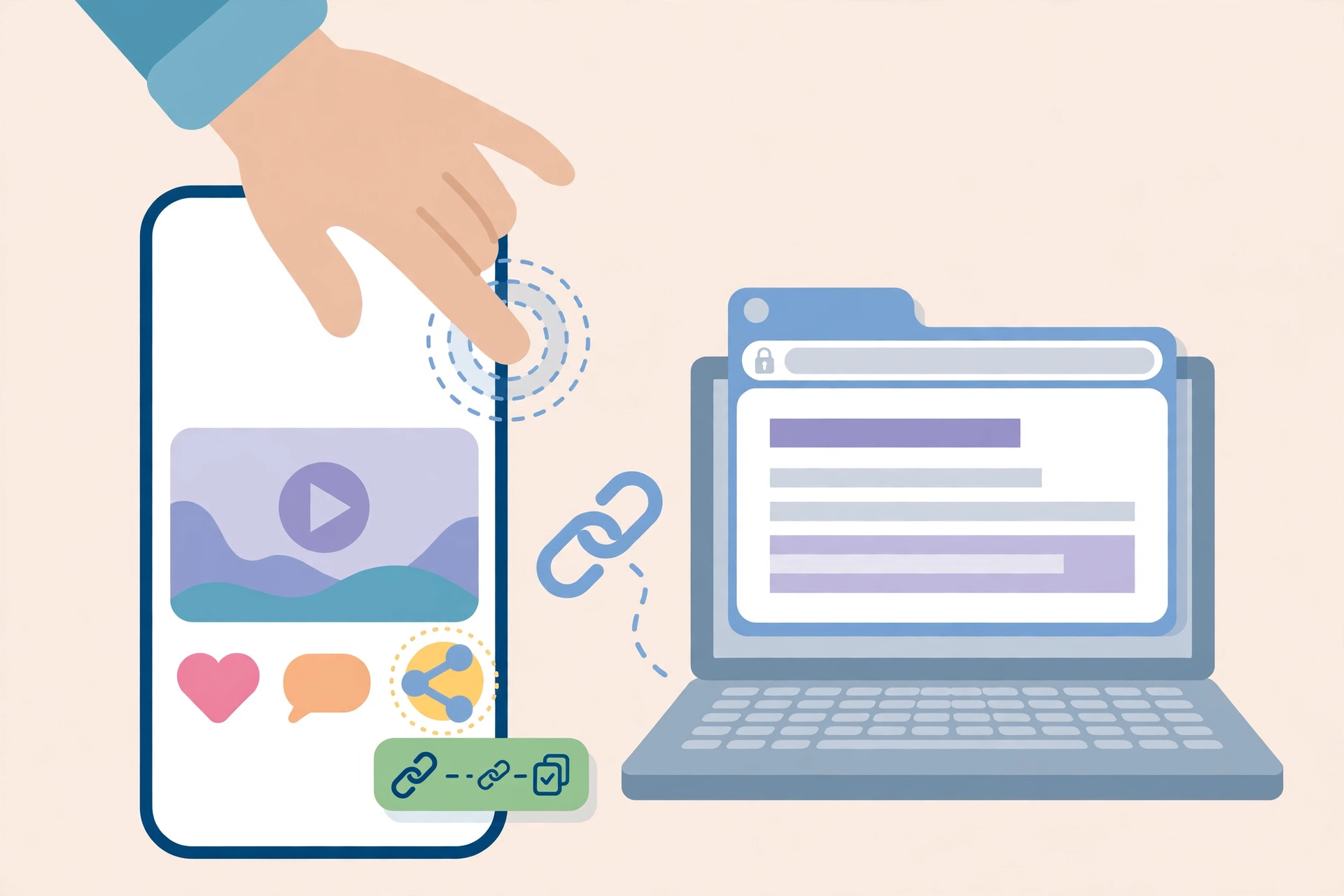
The fix: open the actual video or Story inside Snapchat, tap the share arrow on that specific post, and choose Copy Link. Then paste that — the full link, nothing trimmed — into the downloader. If you are following our full walkthrough for saving clips, the step-by-step for each device is in our snapchat video downloader guide.
2. The Story expired or the creator deleted it
Stories on Snapchat live for 24 hours. That is not a suggestion; it is the product. Once the timer runs out, Snapchat removes the file from its servers, and once a creator deletes a Spotlight clip, the same thing happens. At that point there is genuinely nothing left to download — not for this tool, not for any other tool, not for anyone.
When I tested this deliberately — taking a real Spotlight link and chopping off the last chunk of its ID — the extractor answered with a different, very specific message: “Snapchat returned 404 – this link looks dead, private, or expired.” That 404 wording matters. It means Snapchat itself answered “this does not exist any more” rather than the tool failing to understand your link. If you get the 404 message on a Story link that is more than a day old, expiry is almost certainly your answer, and no amount of retrying will bring it back.
3. The content is private or friends-only
This one frustrates people the most, because the video clearly exists — you watched it yourself. But watching something inside Snapchat as a friend is not the same as it being public. Friends-only Stories, custom-audience Stories, private Stories shared with one group, and one-to-one Snaps never get a public web address. A downloader reads public web pages; it cannot log in as you, and it should not.
The honest version of this is reassuring, actually. If downloaders could bypass that wall, your own private Stories would be downloadable by strangers too. The 404 message covers this case as well, because from the outside a private post and a deleted post look identical: Snapchat simply does not serve the file to an anonymous visitor. If your friend wants you to have the clip, the reliable route is asking them to save it from their own Memories and send you the file — Snapchat’s own save option on their own post hands over the same original file.
4. The account is login-walled or age-restricted
Since Snapchat’s June 2026 policy update, accounts registered as under 16 cannot post publicly at all, and 16-to-17 accounts have capped public reach. Only accounts 18 and older get the fully open public setting. So a link that looks public can still sit behind a login wall if the account behind it is restricted.
The incognito test catches this instantly. Open the link signed out: if Snapchat asks you to log in, the content is not anonymously reachable, and every downloader will fail on it the same way. This is also why “it worked yesterday” sometimes stops being true — a creator can change their audience setting after posting, and the public window closes with it.
5. Your browser or connection is getting in the way
Now we get to the actually-fixable technical stuff. If a known-good link works for others but not for you, work through these in order:
- Switch from mobile data to Wi-Fi. Large video files stall on weak connections, and a stalled fetch looks exactly like a broken tool.
- Turn off your VPN or ad-blocker for one attempt. Both can interfere with the extractor’s request to Snapchat’s servers.
- Hard-refresh the downloader page and paste the link again. A stale page session is a boring but real cause of “nothing happens when I click download”.
- Clear the browser cache only if the page itself looks broken — missing buttons, half-loaded layout. Cache-clearing does not fix a dead link, and guides that present it as a cure-all are wasting your time.
- Update your browser if it is genuinely old. Modern download pages assume a current browser; an ancient one can silently fail on the download step.
One more browser-side trap, specific to iPhone users: on iPhone, Safari saves downloads to the Files app, not to Photos. People regularly conclude “the download failed” when the file is sitting in Files > Downloads, perfectly fine. Open Files, find the clip, tap Share, then Save Video, and it lands in your Camera Roll. We cover this quirk in detail in our iPhone download guide, and the Android flow — where files usually appear straight in the Gallery — is the mirror image of the same confusion.
6. Snapchat changed something and every tool broke at once
Every so often, downloaders stop working overnight across the board. This happens because Snapchat updates its page structure, and every tool that reads that structure breaks at the same time. It is not your link, not your phone, and not one site being worse than the others — it is an industry-wide outage with a predictable pattern.
The right move here is counterintuitive: wait. Actively maintained tools ship fixes within 24 to 48 hours of a Snapchat change, and hopping between five broken tools during that window just burns your afternoon. Test one known-good link once a day; when it works again, everything is back. If a single tool stays broken for a week while others recover, that tool is unmaintained, and then — only then — is switching sites the right answer.
How to Read the Error Message (Tested 24 October 2026)
Most guides describe failures vaguely. When a snapchat downloader not working report lands, the first thing I ask is: which error did you get? Here are the two real messages snaptodown’s extractor returned in my tests today, and what each one means:
| Error message | What it means | Your next step |
|---|---|---|
| “Please paste a valid public Snapchat link (Spotlight, Story or video page).” | The link is not a Snapchat post link at all — wrong platform, profile page, or garbage text. | Re-copy the per-post link from the Share menu and paste the full URL. |
| “Snapchat returned 404 – this link looks dead, private, or expired.” | Snapchat answered that this content does not exist publicly any more. | Check the age of the post and the incognito test; if it is expired, private, or deleted, it cannot be recovered. |
Notice what is not in that table: a generic “something went wrong”. A tool that tells you which failure you hit is a tool you can actually troubleshoot with. If the tool you are using gives you nothing but a spinning loader, try the incognito test above and match your situation to the causes list instead — the diagnosis is the same regardless of which site you use.
The 2-Minute Fix Checklist
Work this list top to bottom. Stop at the step that fixes it — most people stop at step 2.

- Run the incognito test. Link plays signed out? It is public — keep going. Login wall or nothing? Stop here; no tool can fetch it.
- Re-copy the link from the post’s own Share menu. Full link, nothing trimmed, pasted fresh. This alone fixes the majority of failures.
- Check the post’s age. A Story older than 24 hours is gone. A Spotlight clip the creator deleted is gone. Neither is coming back.
- Switch to Wi-Fi and turn off VPN/ad-blocker for one attempt.
- Hard-refresh the downloader page and retry.
- Try a known-good link. If a fresh public Spotlight clip downloads fine, the tool is healthy and your original link is the problem.
- Check where the file actually landed. iPhone: Files > Downloads, then Share > Save Video. Android: Downloads or Gallery. Desktop: your Downloads folder.
- Try a second browser. If Chrome fails and Safari works, your first browser’s extensions or cache were the culprit.
- Wait 24 hours if everything fails at once. That pattern means Snapchat changed something and every tool is down together.
When the File Downloads but Something Looks Wrong
Not every “not working” report is a failed download. Three post-download complaints come up constantly, and all three have boring explanations:
The video has no sound. Some Spotlight clips are posted deliberately silent. A downloader hands you the file exactly as Snapchat serves it — it preserves whatever audio track the source has and adds nothing. If the clip plays silently in Snapchat too, the source is silent, and no tool can invent audio for it.
The video plays on your phone but not on your computer (or vice versa). That is a codec or player issue on the playback device, not a download problem. Try a different player — VLC on desktop handles almost everything Snapchat serves — before blaming the download.
The “download” is a tiny file that will not play. You almost certainly saved the web page or a preview thumbnail instead of the video itself. Go back to the downloader, wait for the “Download Ready” card with the video thumbnail, and use its Download Video button rather than long-pressing or right-clicking the preview.
What No Downloader Can Ever Fix
It is worth being blunt about the hard limits, because they save you from scammy tools that promise otherwise. No downloader — free or paid — can fetch a one-to-one Snap, a friends-only Story, a private Story, your own Memories archive, or anything Snapchat has already deleted or expired. Any site claiming it can is either lying or asking you to hand over your Snapchat login, which is a far worse deal than a failed download. Never type your Snapchat password into a downloader site. A legitimate public-link downloader never needs it.
The same honesty applies to screen recording as a fallback. It works on almost anything visible on screen, including private content you can view — but it bakes the whole interface into the footage: status bar, progress bar, like and share icons, all of it. For public clips, a proper downloader gives you the clean original file instead, which is why it is worth fixing the link problem rather than defaulting to a recording. Our Spotlight downloader and Story downloader guides explain which tool fits which kind of post.
How I Tested This (So You Can Trust the Error Messages)
Every claim in this article comes from tests run on 24 October 2026 against the live extractor at snaptodown.com, not from a competitor’s marketing page. A known-good public Spotlight link — a cooking tutorial posted 22 October 2026 — resolved in 4.49 seconds with a real title, a thumbnail, and a direct video file on Snapchat’s CDN, verified as genuine MP4 data. A TikTok link, a nonsense string, and a bare profile link all returned the “valid public Snapchat link” error in about one second each. A deliberately truncated Spotlight link returned the distinct 404 error in 1.44 seconds. And the downloaded video file itself was verified byte-for-byte as MP4, not an error page in disguise.
The video below shows the tool working end to end with that known-good link, so you can see what success looks like before you start troubleshooting your own link. (It is the genuine screen recording of the same tool from our earlier walkthrough, reused here as the known-good control clip — the same link still resolves today, as the tests above confirm.)
One more thing worth knowing: snaptodown has no daily cap and needs no login — unlike some rivals that stop at five free downloads a day or hide MP4 downloads behind a paid plan. That matters for troubleshooting, because a “limit reached” failure looks a lot like a broken tool on capped services, and you can waste an hour debugging a limit that was never going to reset until tomorrow. If you want the no-cap angle in full, our guide to downloading without a watermark covers how the raw-file pipeline works.
Frequently Asked Questions
Why is my snapchat downloader not working all of a sudden?
Most sudden failures are either a bad link (re-copy it from the post’s Share menu) or a Snapchat-side change that broke every tool at once. Test a known-good public Spotlight link: if that works, your original link is the problem; if nothing works anywhere, wait 24–48 hours for tools to update.
Can a downloader fetch an expired Snapchat Story?
No. Stories disappear from Snapchat’s servers after 24 hours, and deleted Spotlight clips are removed the same way. Once the file is gone, no downloader can retrieve it, and any site claiming otherwise should not be trusted.
Does Snapchat notify someone when I download their public video?
No. Downloading a public link reads the same public file a browser would load, and Snapchat has no mechanism to notify the creator about that. This is separate from in-app screenshot notifications, which only fire for Snaps sent directly to you in chat.
Why does the download land in Files instead of Photos on my iPhone?
That is Safari’s normal behaviour: downloads go to the Files app. Open Files, find the clip, tap Share, then Save Video, and it moves into your Camera Roll. It is not a failed download.
Is it legal to download a public Snapchat video?
Downloading a public video for personal viewing or offline reference is ordinary use, but the creator still owns the content. Reposting someone else’s clip as your own, or using it commercially, needs their permission first — and you should credit the original creator when you share a saved clip anywhere. Snapchat’s own help pages at help.snapchat.com explain the platform’s public-content rules.
Should I try another downloader if this one fails?
Only after you have diagnosed the failure. If the link is private, expired, or login-walled, every tool will fail identically and switching wastes your time. Switch only if one tool stays broken for days while others have recovered — that signals an unmaintained tool, not a bad link.
The Bottom Line
When your snapchat downloader not working moment hits, do not start with cache-clearing or tool-hopping. Start with the incognito test, then re-copy the exact per-post link, then read the actual error message. In my testing, those three steps alone separate the fixable problems from the impossible ones — and the impossible ones (expired, deleted, private) are not failures at all, just Snapchat’s rules working as designed. For the fixable ones, the checklist above will get you downloading again in minutes, free, with no sign-up and no watermark, at snaptodown.com.


6 Comments